Finding the best QR code generator can be surprisingly difficult. While most tools can create a QR code in seconds, the real difference lies in what happens after the code is generated. Some platforms only offer basic static QR codes, while others provide dynamic QR codes, scan analytics, editable destinations, branded designs, bulk generation, and campaign tracking tools that can significantly improve how businesses manage customer interactions.
With dozens of QR code generators available today, choosing the right one often comes down to balancing features, flexibility, and budget. A freelancer creating a business card QR code has very different requirements from a marketing team running large-scale promotional campaigns or managing hundreds of QR codes across multiple locations.
This guide compares the best QR code generators for every budget in 2026, breaks down their key features, pricing, strengths, and limitations, and helps you identify which platform delivers the most value for your specific needs.
What Is a QR Code Generator?
A QR code generator is a tool that converts information such as website URLs, contact details, PDFs, Wi-Fi credentials, payment links, or digital files into a scannable QR code.
When someone scans the code using their smartphone camera, they are instantly taken to the linked content without typing anything manually. Modern QR code generators can also offer branded QR codes, editable QR codes, analytics, and tracking features for businesses that need more than basic QR code creation.
Free vs. Paid QR Code Generators: What Is the Difference?
| Feature | Free QR Code Generators | Paid QR Code Generators |
| QR Code Creation | Basic QR code creation | Advanced QR code creation |
| Static QR Codes | Usually included | Included |
| Dynamic QR Codes | Limited or unavailable | Commonly available |
| Destination Editing | Usually unavailable | Usually available |
| QR Code Analytics | Limited or unavailable | Detailed scan tracking |
| Bulk Generation | Rarely available | Frequently available |
| Branding Options | Basic customization | Advanced branding and white-labeling |
| Team Collaboration | Limited | Often included |
| Customer Support | Basic support | Priority support options |
| Best For | Personal use, students, freelancers | Businesses, agencies, and enterprises |
A free QR code generator is often sufficient when you only need a static QR code for a website, portfolio, event invitation, or business card. Paid platforms become valuable when you need dynamic QR codes, scan analytics, bulk creation, campaign management, or the ability to edit destinations after printing.
Static vs. Dynamic QR Codes: Differences, Benefits, and What to Choose
1. Static QR Codes
A static QR code stores information directly inside the code itself. Once created, the destination cannot be changed without generating a new QR code. These codes are commonly used when the linked information is expected to remain the same for a long time.
Benefits of Static QR Codes:
- Usually available for free
- No account required on most platforms
- Ideal for business cards and permanent links
- Simple to create and distribute
2. Dynamic QR Codes
A dynamic QR code uses a redirect system that allows the destination to be updated even after the QR code has been printed. This makes it a popular choice for businesses, marketers, and organizations that regularly update content.
Benefits of Dynamic QR Codes:
- Editable destination URLs
- Built-in scan analytics
- Better campaign management
- Reduces reprinting costs
Static vs. Dynamic QR Codes: Quick Comparison
| Feature | Static QR Codes | Dynamic QR Codes |
| Editable After Creation | No | Yes |
| Scan Analytics | No | Yes |
| Best For | Permanent links | Marketing & business campaigns |
| Cost | Usually Free | Usually Paid |
| Reprinting Required After URL Change | Yes | No |
Static vs. Dynamic: Which Should You Choose?
The right choice depends on how you plan to use the QR code. If you’re creating a QR code for a portfolio, business card, contact page, or any destination that is unlikely to change, a static QR code is usually the simplest and most cost-effective option.
However, if you expect to update links, track scan activity, or run promotions over time, a dynamic QR code offers far more flexibility. For most businesses and marketing campaigns, the ability to edit destinations and monitor performance often makes dynamic QR codes the better long-term investment.
Key Features to Look for in a QR Code Generator
- Dynamic QR Code Support: One of the most valuable features in a modern QR code generator is the ability to edit destinations after the code has been printed. Dynamic QR codes allow businesses to update URLs, documents, landing pages, or promotions without replacing existing marketing materials.
- QR Code Analytics and Tracking: Creating a QR code is only part of the process. Understanding how people interact with it is often just as important. The best QR code generators provide analytics that track scans, devices, locations, and engagement trends, helping businesses measure campaign performance more accurately.
- Branding and Customization: A plain black-and-white QR code may work, but branded QR codes often attract more attention. Features such as logo insertion, custom colours, gradient effects, frame designs, and branded call-to-action elements can help QR codes align with overall marketing materials.
- Bulk QR Code Generation: Businesses managing product catalogues, event tickets, inventory systems, or large marketing campaigns often need hundreds or thousands of QR codes. Bulk generation tools simplify this process by allowing multiple QR codes to be created simultaneously instead of manually generating them one at a time.
- Download Quality and File Formats: QR codes are used across digital and print environments, so download quality matters. Look for QR code makers that support PNG, SVG, PDF, and EPS formats to ensure sharp printing on posters, packaging, brochures, and business cards.
- Ease of Use: Some platforms focus on enterprise-level functionality, while others prioritize simplicity. A good QR code generator should make it easy to create, customize, download, and manage QR codes without requiring technical expertise.
- Security and Reliability: Businesses using QR codes for customer interactions should prioritize secure platforms. Reliable QR code generators provide stable hosting infrastructure, secure redirects, privacy controls, and dependable performance to ensure users always reach the intended destination.
Comparison of the Best QR Code Generators
| Tool Name | Best For | Free Plan | Starting Price | Dynamic QR | Bulk Generation | Download Formats |
| QRCode Monkey | High-resolution branded QR codes | Yes | Free | Static Only | No | PNG, SVG, PDF, EPS |
| Adobe Express | Design-focused QR creation | Yes | ₹797.68/month | Static Only | No | PNG, JPG, SVG |
| Canva QR Generator | Marketing materials and business designs | Yes | ₹1590-₹4000/year | Static Only | No | PNG, JPG, PDF |
| The QR Code Generator (TQRCG) | Free dynamic QR codes | Yes | ₹800 month | Limited | Limited | PNG, SVG |
| Hover Code | Small business QR campaigns | Yes | $12 month | Limited | No | PNG, SVG |
| Uniqode | Enterprise QR management | Trial Available | $9 month | Yes (Advanced) | Yes | PNG, SVG, PDF |
| QR TIGER | Marketing automation and targeting | Yes | $7-37/month | Yes (Advanced) | Yes | PNG, SVG, PDF |
| Flowcode | Analytics-driven campaigns | Yes | $0-25/month | Yes | Yes | PNG, SVG |
| Bitly QR Codes | Unified link and QR tracking | Yes | $10/month | Yes | Limited | PNG, SVG |
| Pageloot | Agency and client management | Trial Available | ₹220/month | Yes (Agency-Focused) | Yes | PNG, SVG, PDF |
List of Best QR Code Generators
A. Best for Simple QR Code Creation
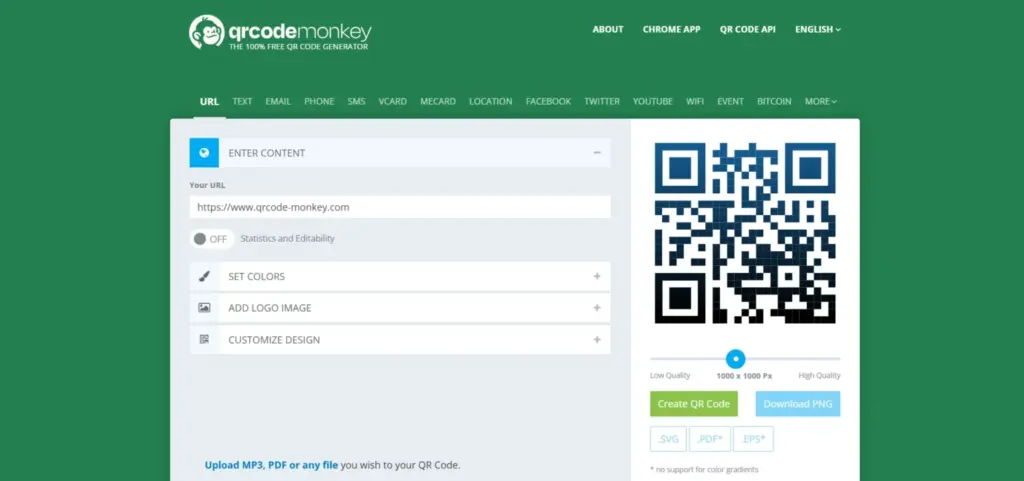
1. QRCode Monkey
- Rating: 4.6/5
- Website: https://www.qrcode-monkey.com/
- Who Should Use: Small businesses, freelancers, and local event organizers who just want a high-resolution, branded static code without recurring costs.
- Best For: 100% free high-resolution static QR codes with customized colour gradients, custom frame dots, and seamless logo embedding.
Few free QR code generators offer the same level of customization as QRCode Monkey. While many free tools focus on basic black-and-white codes, QRCode Monkey allows users to create branded QR codes with custom colours, logos, gradients, and unique design patterns without paying for premium plans.
The platform is especially popular among businesses printing flyers, brochures, product labels, and business cards because it supports high-quality vector downloads. For anyone looking to create QR codes online without worrying about scan limits or subscription fees, QRCode Monkey remains one of the strongest options available.
Key Features:
- Logo embedding
- Custom colours and gradients
- High-resolution QR code exports
- SVG, PDF, PNG, and EPS downloads
Pros:
- Completely free static QR code generator
- Excellent branding options
- No scan restrictions on printed codes
- Supports professional print formats
Cons:
- No built-in QR code analytics
- No dynamic QR code management
- No editable destinations
- Not designed for large-scale campaigns
Pricing:
- Static Codes: Free forever
- Dynamic integrations and advanced services: Starting from $9.99/month
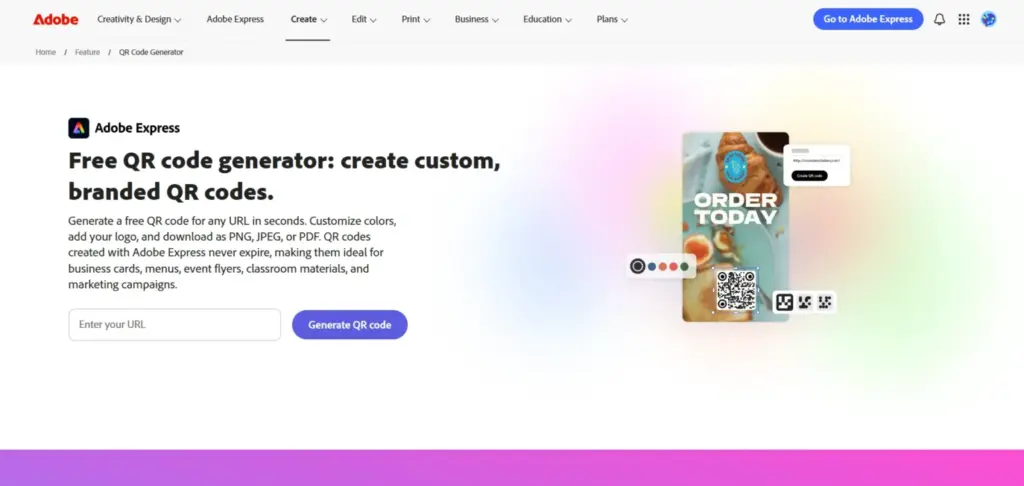
2. Adobe Express
- Rating: 4.7/5
- Website: https://www.adobe.com/express/feature/image/qr-code-generator
- Who Should Use: Content creators, graphic designers, and social media managers who want to format beautiful, crisp codes directly in their design workflows.
- Best For: Downloadable print-ready vector file types and styling assets that align perfectly with brand templates.
For teams already creating marketing assets inside Adobe Express, generating QR codes becomes a natural extension of the design process. Instead of exporting designs and switching to a separate QR code maker, users can create branded QR codes while working on posters, brochures, event banners, social graphics, and promotional materials.
Its strength lies in visual consistency, making it easier to maintain brand identity across both digital and printed campaigns. Businesses that prioritize presentation often find Adobe Express more convenient than standalone QR code generators.
Key Features:
- Built-in design workflow integration
- Brand-focused customization tools
- Multiple export formats
- Easy visual editing
Pros:
- Excellent for branded marketing materials
- Beginner-friendly interface
- High-quality design assets
- Works seamlessly with Adobe templates
Cons:
- Static QR codes only
- No scan analytics
- Limited campaign management features
- Advanced branding tools require premium access
Pricing:
- Free Plan: $0/month
- Premium Plan: ₹797.68/month
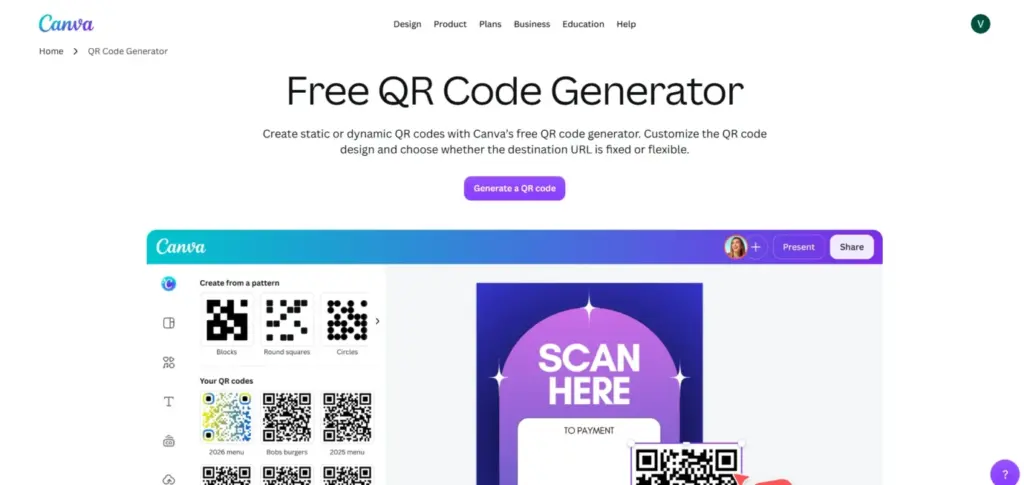
3. Canva QR Generator
- Rating: 4.7/5
- Website: https://www.canva.com/qr-code-generator/
- Who Should Use: Small business marketers who actively design their flyers, menus, banners, or business cards directly inside the Canva workspace.
- Best For: Zero-friction drag-and-drop workspace integration for QR code placement.
Designing marketing materials and generating QR codes separately can slow down production workflows. Canva QR Generator solves that problem by allowing users to create QR codes directly within their existing designs.
Whether you’re building restaurant menus, product catalogs, event posters, or promotional banners, the QR code can be added instantly without leaving the Canva editor. For creators and businesses already invested in Canva, this streamlined approach often saves more time than using a dedicated QR code platform.
Key Features:
- Integrated Canva workflow
- One-click QR generation
- Drag-and-drop placement
- Compatible with marketing templates
Pros:
- Extremely easy to use
- No separate software required
- Ideal for small business marketing
- Integrated into existing designs
Cons:
- Static QR codes only
- No built-in analytics
- Limited QR-specific customization
- Dynamic QR functionality requires additional apps
Pricing:
- Canva Free Tier: $0/month
- Pro Lite: ₹ 1,590/year
- Pro Plan: ₹4,000/year
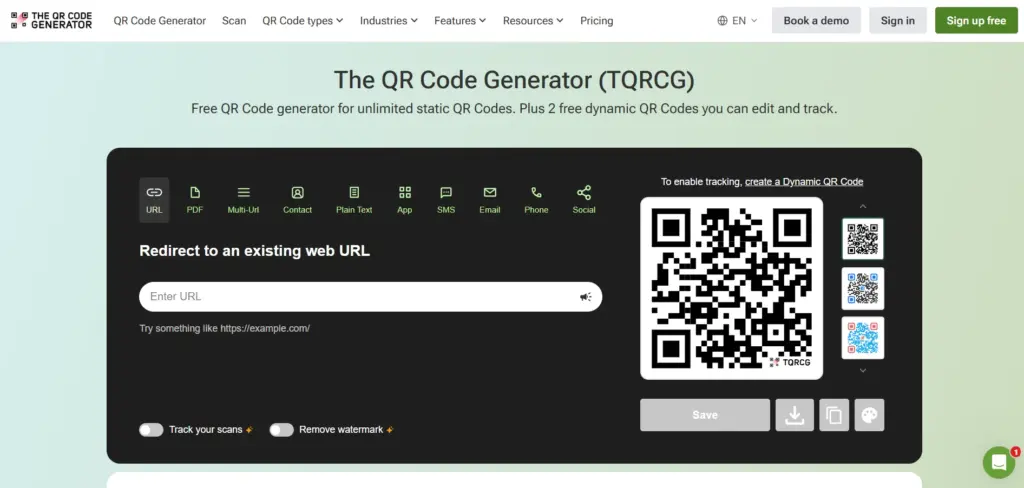
4. The QR Code Generator (TQRCG)
- Rating: 4.7/5
- Website: https://www.the-qrcode-generator.com/
- Who Should Use: Tech-minimalists, educators, and office workers needing immediate static codes or simple dynamic links.
- Best For: Instant QR code creation through a browser or Chrome extension with minimal setup.
Simplicity remains one of the biggest reasons users choose The QR Code Generator. The platform focuses on helping users create QR codes quickly without navigating complex dashboards or enterprise-level settings.
It also offers limited dynamic QR functionality, making it attractive for users who need editable QR codes without committing to expensive software. Its browser-based workflow and Chrome extension support make it particularly useful for teachers, office teams, and small organizations creating QR codes on a regular basis.
Key Features:
- Static and dynamic QR codes
- Chrome extension support
- Quick QR generation
- URL editing capabilities
Pros:
- Easy to use
- Supports dynamic QR codes
- Fast setup process
- Suitable for beginners
Cons:
- Limited analytics features
- Fewer customization options
- Limited bulk generation
- Advanced features require upgrades
Pricing:
- Static QR Codes: Free
- Flex Tier: ₹800 month
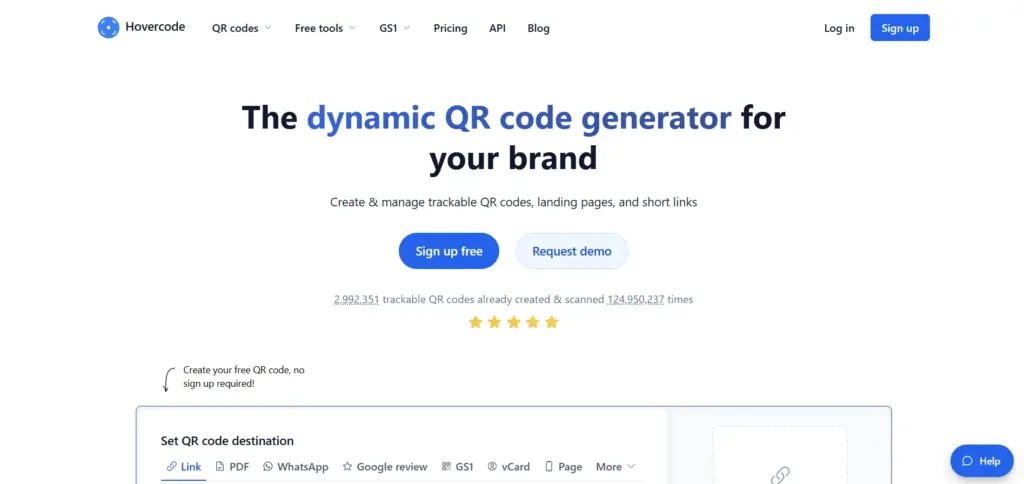
5. Hover Code
- Rating: 4.5/5
- Website: https://hovercode.com/
- Who Should Use: Local brick-and-mortar storefronts, real estate agents, and restaurants looking to direct foot traffic to simple destination pages.
- Best For: Reliable dynamic QR code management without overwhelming dashboards
Local businesses rarely need enterprise software to manage a handful of QR campaigns. Hover Code focuses on delivering a clean, straightforward experience that prioritizes usability over complexity. Users can create QR codes, update destinations, and manage simple campaigns without dealing with excessive reporting tools or technical configurations.
This makes it a practical choice for restaurants updating menus, real estate professionals sharing listings, and local businesses promoting seasonal offers through editable QR codes.
Key Features:
- Editable QR destinations
- Dynamic QR support
- Simple management dashboard
- Campaign updates without reprinting
Pros:
- Easy to manage
- Suitable for local businesses
- Clean interface
- Supports destination editing
Cons:
- Limited advanced analytics
- Fewer enterprise features
- Not ideal for large campaigns
- Basic customization options
Pricing:
- Free Plan: $0/month
- Pro Plan: $12 month
- Business Plan: $39 month
B. Advanced and Scalable QR Code Generators
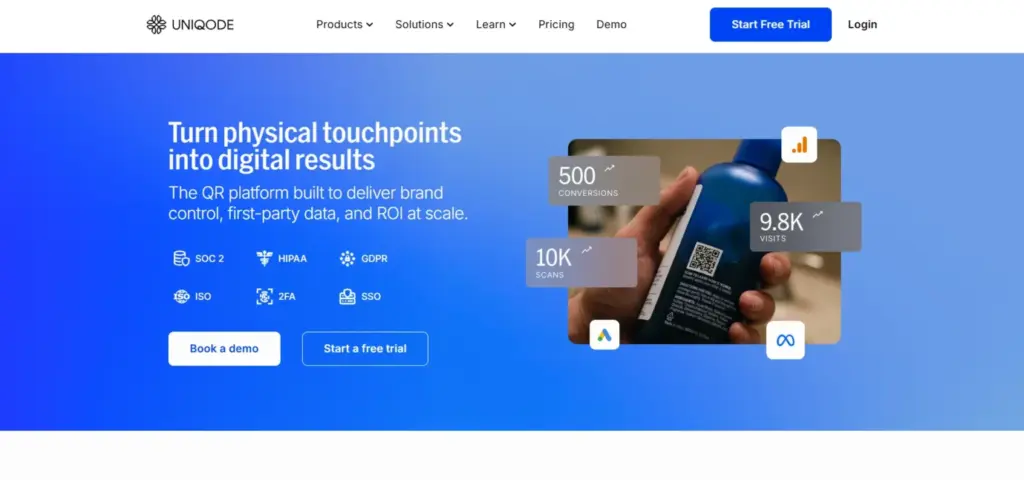
6. Uniqode (formerly Beaconstac)
- Rating: 4.8/5
- Website: https://www.uniqode.com/
- Who Should Use: Enterprise marketing managers, Fortune 500 chains, healthcare systems, and tech teams requiring top-level security certifications.
- Best For: Massive bulk creation workflows, custom API integrations, and enterprise-grade compliance standards.
Managing a few QR codes is very different from managing hundreds across multiple locations, campaigns, and departments. Uniqode is built specifically for organizations that need centralized QR code management, large-scale deployment capabilities, and detailed QR code analytics.
Beyond creating dynamic QR codes, the platform helps businesses track performance, manage teams, automate workflows, and maintain compliance requirements. For enterprises that treat QR codes as a long-term business asset rather than a one-time marketing tool, Uniqode delivers one of the most complete solutions in the market.
Key Features:
- Dynamic QR code generator
- Bulk QR code creation
- Advanced QR code analytics
- Developer APIs
- SOC 2 Type II and HIPAA compliance
- Team collaboration tools
Pros:
- Excellent scalability
- Strong security and compliance features
- Detailed analytics and reporting
- Powerful automation capabilities
Cons:
- More expensive than entry-level tools
- Learning curve for new users
- Overkill for simple projects
- Advanced features require higher plans
Pricing:
- Starter Plan: $9/month
- Core Plan: $49/month
- Plus Plan: $99/month
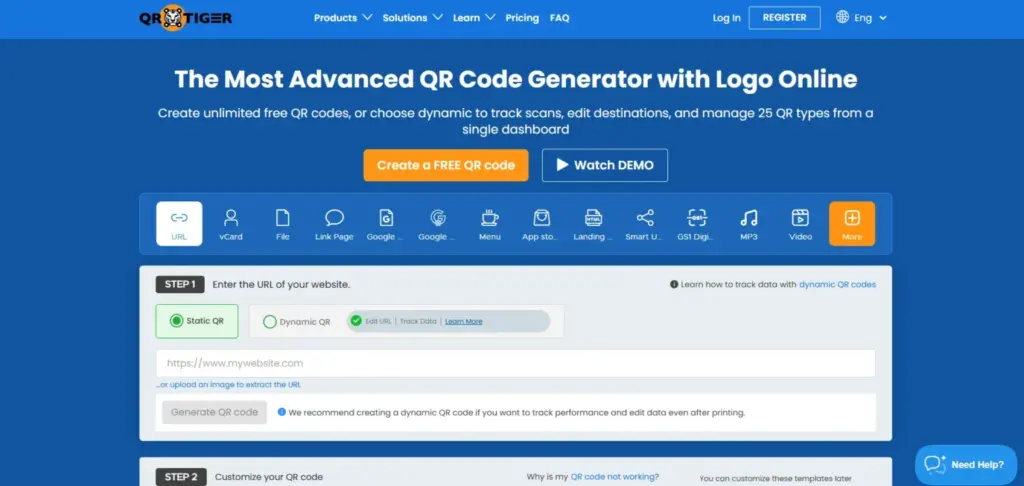
7. QR TIGER
- Rating: 4.8/5
- Website: https://www.qrcode-tiger.com/
- Who Should Use: Growth marketing agencies and businesses running targeted campaigns across multiple regions.
- Best For: Geofencing, smart redirection, and advanced dynamic QR code campaigns.
Marketing teams often need more than a simple QR code that redirects everyone to the same page. QR TIGER stands out because it allows businesses to personalize where users land based on location, device type, language, or other conditions.
These advanced targeting capabilities make it particularly valuable for brands running international campaigns or serving different audiences. Combined with strong QR code tracking and customization tools, QR TIGER has become one of the most feature-rich dynamic QR code generators available for growing businesses.
Key Features:
- Dynamic QR codes
- Geofencing support
- Multi-URL QR codes
- Advanced scan tracking
- Custom branding
- Bulk generation
Pros:
- Strong marketing capabilities
- Affordable entry pricing
- Excellent targeting features
- Robust analytics
Cons:
- Free plan has scan limits
- Advanced features require upgrades
- Can feel complex for beginners
- Custom setups may require planning
Pricing:
- Free Tier: 3 Dynamic QR Codes
- Regular Plan: $7/month
- Advanced Plan: $16/month
- Premium Plan: $37/month
8. Flowcode

- Rating: 4.6/5
- Website: https://www.flowcode.com/
- Who Should Use: Major brands, retailers, event organizers, and businesses focused on engagement tracking.
- Best For: Mobile-first QR experiences backed by strong analytics.
While many QR code generators focus primarily on creation, Flowcode places equal emphasis on engagement measurement. The platform is known for its visually distinctive QR code designs and analytics-driven approach that helps businesses understand how audiences interact with campaigns.
Brands using QR codes for product launches, retail promotions, events, or customer engagement initiatives often appreciate Flowcode’s ability to combine design flexibility with actionable performance data.
Key Features:
- Dynamic QR code creation
- Real-time scan analytics
- Branded QR codes
- Campaign tracking
- Geolocation insights
- Bulk management
Pros:
- Strong reporting capabilities
- Modern QR code designs
- Easy campaign tracking
- Good scalability
Cons:
- Premium-focused platform
- Higher pricing than some competitors
- Limited free-plan capacity
- Advanced integrations require upgrades
Pricing:
- Free Tier: $0/month
- Pro Plus: $25/month
- Growth Tier: $250/month
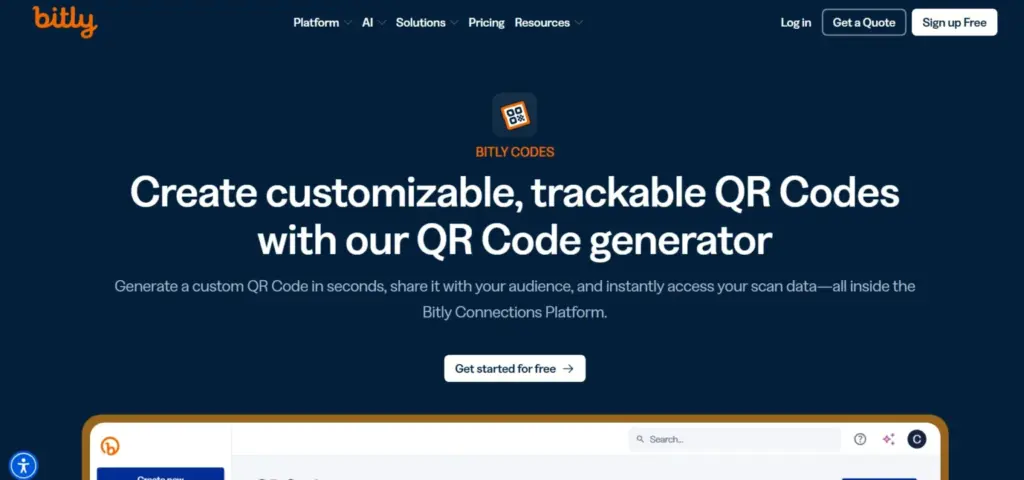
9. Bitly QR Codes
- Rating: 4.5/5
- Website: https://bitly.com/
- Who Should Use: Businesses and marketers already managing short links through Bitly.
- Best For: Combining QR code analytics and link tracking within one dashboard.
Few platforms understand link management better than Bitly. Instead of treating QR codes as a separate product, Bitly integrates them directly into its broader ecosystem of shortened links, branded URLs, and campaign tracking tools. This unified approach makes it easier for businesses to monitor both online clicks and offline QR code scans from a single dashboard.
Companies already using Bitly for marketing campaigns often find that adding QR code functionality simplifies reporting and reduces the need for multiple software subscriptions.
Key Features:
- Dynamic QR codes
- Link and QR tracking
- Branded short URLs
- Unified reporting dashboard
- Custom domains
- Campaign analytics
Pros:
- Trusted platform
- Excellent link management
- Centralized analytics
- Easy integration with existing workflows
Cons:
- Limited free QR codes
- Higher-tier features cost more
- Less focused on visual customization
- Bulk features are limited
Pricing:
- Free Plan with ads
- Core Plan: $10/month
- Growth Plan: $29/month
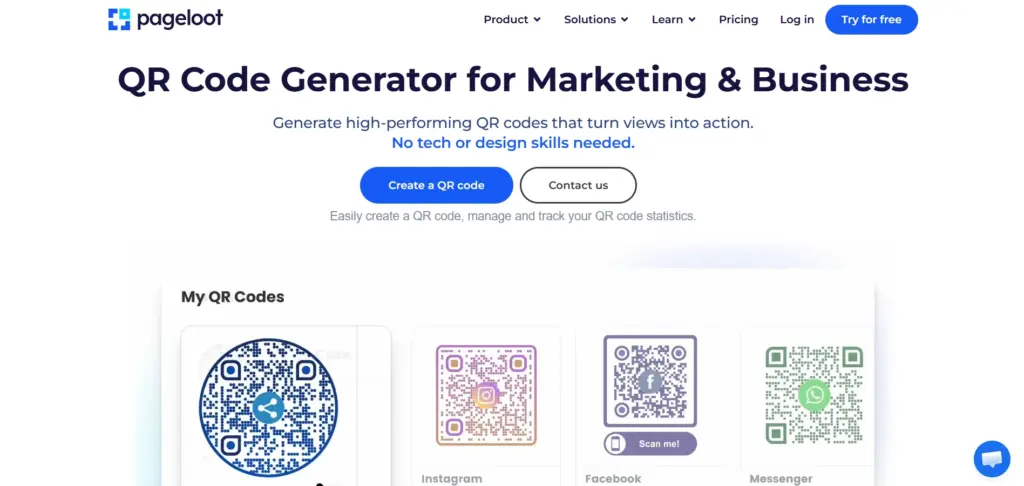
10. Pageloot
- Rating: 4.8/5
- Website: https://pageloot.com/
- Who Should Use: Marketing agencies, consultants, and businesses managing QR campaigns for multiple clients.
- Best For: Agency-focused QR management with white-label capabilities.
Handling QR campaigns for multiple clients requires more than just generating codes. Pageloot is designed for agencies and consultants that need organized client management, dynamic QR code hosting, and white-label branding options. The platform allows teams to separate projects, manage campaigns efficiently, and maintain a professional client-facing experience.
For agencies looking to offer QR code services as part of a broader marketing package, Pageloot provides features that many standard QR code generators simply do not include.
Key Features:
- Dynamic QR code generator
- White-label options
- Client campaign management
- Analytics dashboard
- File hosting support
- Team collaboration
Pros:
- Agency-friendly workflow
- White-label branding support
- Strong campaign management
- Good scalability
Cons:
- More expensive than basic tools
- Not necessary for personal use
- Advanced features require premium plans
- Learning curve for first-time users
Pricing:
- Free Trial Available
- Starter Plan: ₹220 month
- Premium Plan: ₹520 month
How to Choose the Best QR Code Generator
- QR Code Type Support: Not every platform offers both static and dynamic QR codes. If you need editable QR codes or scan tracking, make sure the generator supports dynamic QR functionality before choosing a plan.
- Analytics and Tracking: Some QR code generators simply create codes, while others provide detailed insights into scan activity. Businesses running campaigns often benefit from tools that offer location data, device information, and engagement reports.
- Branding and Design Options: Custom colours, logos, frames, and branded elements can make QR codes look more professional and improve visual consistency across marketing materials.
- Ease of Use: A feature-rich platform is only useful if it remains easy to navigate. The best QR code generators balance advanced functionality with a simple user experience.
- Bulk Generation Capabilities: Organizations managing large numbers of QR codes should look for platforms that support bulk creation and centralized management rather than generating codes one by one.
- Pricing and Scalability: Some users only need a free QR code generator, while others require advanced analytics and campaign tools. Choosing a platform that can scale with your requirements helps avoid switching providers later.
How to Edit a QR Code Without Reprinting
Whether a QR code can be edited depends on the type of QR code being used. Static QR codes cannot be modified after creation because the destination information is permanently embedded within the code itself. If the linked URL changes, a completely new QR code must be generated and printed.
Dynamic QR codes work differently. They allow users to update the destination without changing the QR code that has already been printed. This makes them particularly useful for restaurant menus, marketing campaigns, product packaging, event registrations, and other situations where content may change over time.
Is a QR Code Generator Safe? Top Security Features to Check Before You Print
A QR code is not automatically safe simply because it looks professional. Security largely depends on the destination behind the code. QR codes can direct users to legitimate websites, but they can also lead to fake login pages, malicious websites, or unwanted downloads.
- Secure HTTPS Infrastructure: A reliable QR code platform should use HTTPS encryption to protect data during QR code creation, management, and redirection.
- Stable Redirect System: Dynamic QR codes rely on redirects. A dependable infrastructure helps prevent broken links and ensures users always reach the intended destination.
- Access Control Features: Businesses managing multiple campaigns should look for platforms that offer user permissions and account management controls.
- Data Privacy Compliance: Organizations handling customer information should verify that the platform follows recognized privacy and security standards.
- Reliable Analytics Handling: Analytics tools should provide useful scan insights while maintaining responsible data collection and user privacy practices.
Common QR Code Mistakes to Avoid
Even the best QR code generator cannot guarantee results if implementation mistakes are ignored.
- Choosing the Wrong QR Code Type: Many businesses create static QR codes only to realize later that the destination needs updating. If future changes are likely, dynamic QR codes are usually the better option.
- Using Low-Quality Download Files: Poor image quality can reduce scan reliability, particularly on large printed materials. Whenever possible, download QR codes in high-resolution or vector formats.
- Printing QR Codes Too Small: A QR code that looks fine on a screen may become difficult to scan when printed. Always ensure the size matches the intended viewing distance.
- Ignoring Mobile Experience: A QR code may scan successfully, but users can still leave if the destination page loads slowly or displays poorly on mobile devices.
- Skipping Testing Before Launch: Always test QR codes on multiple devices before printing brochures, packaging, posters, menus, or promotional materials.
- Overdesigning the QR Code: Branding is important, but excessive customization can reduce scan accuracy. The best branded QR codes balance visual appeal with functionality.
Final Verdict
The best QR code generator in 2026 depends on what you need beyond basic QR code creation. QRCode Monkey remains one of the strongest options for free, high-resolution static QR codes, while Canva QR Generator and Adobe Express fit naturally into existing design workflows.
For users who need editable QR codes, scan tracking, and campaign management, QR TIGER, Flowcode, and Bitly QR Codes offer stronger business-focused capabilities. Larger organizations managing QR codes at scale may find Uniqode and Pageloot better suited to long-term growth and operational requirements.
Rather than choosing the platform with the most features, focus on the one that matches your goals, budget, and expected usage. The right QR code generator should make it easy to create, manage, and scale QR code campaigns without adding unnecessary complexity.
FAQs
1. Which Is The Best Free QR Code Generator In 2026?
QRCode Monkey is one of the best free QR code generators available today. It supports branded QR codes, logo integration, high-resolution downloads, and unlimited static QR code creation without requiring a paid subscription.
2. What Is The Difference Between A Static QR Code And A Dynamic QR Code?
A static QR code contains fixed information that cannot be changed after creation. A dynamic QR code uses a redirect system, allowing users to edit the destination, track scans, and manage campaigns without reprinting the code.
3. Can I Edit A QR Code After It Has Been Printed?
Yes, but only if you created a dynamic QR code. Platforms such as Uniqode, QR TIGER, Flowcode, and Bitly QR Codes allow users to update destinations while keeping the same printed QR code active.
4. Which QR Code Generator Is Best For Businesses?
The answer depends on the business size and requirements. Small businesses often prefer QRCode Monkey or Canva QR Generator, while larger organizations typically choose Uniqode, QR TIGER, or Flowcode for their analytics, bulk generation, and campaign management capabilities.
5. Do I Need A Paid QR Code Generator?
Not always. If you only need a basic QR code for a website, portfolio, or business card, a free QR code generator is usually sufficient. Paid plans become valuable when you need dynamic QR codes, editable destinations, advanced analytics, team collaboration, or large-scale QR code management.