Running a business involves managing several tasks, from customer communication and marketing to research, reporting and daily operations. Handling all these activities manually can take considerable time, especially for small teams with limited resources.
AI tools can help businesses manage these tasks more efficiently. They can assist with content creation, data analysis, customer support and workflow automation. However, not every tool is designed for the same purpose. Some focus on everyday productivity, while others specialise in design, research, sales or customer service.
This guide covers 10 of the best AI tools for business in 2026, their features, advantages, limitations and pricing to help you understand where each one fits into your business.
What Are AI Tools For Business?
AI tools for business are software applications that use artificial intelligence to help companies complete tasks, process information and manage different operations. They can understand written instructions, analyse data, generate content and automate selected workflows.
These tools support different business activities, including:
- Content Creation: Drafting emails, blog posts, product descriptions and marketing content.
- Data Analysis: Reviewing spreadsheets, identifying patterns and preparing reports.
- Customer Support: Answering common questions and organising customer enquiries.
- Marketing: Creating promotional content, researching audiences and supporting campaigns.
- Business Automation: Connecting applications and reducing repetitive manual work.
Some AI tools work as general-purpose assistants, while others are designed for specific business requirements such as graphic design, customer relationship management or workflow automation.
What To Look For In AI Tools For Business
Before choosing an AI tool, businesses should evaluate whether it can solve actual work-related problems. The following factors can help identify a suitable option.
Easy-to-Use Interface
A business tool should be simple enough for employees to use without extensive technical knowledge. Clear navigation, straightforward controls and easy setup help teams adopt the software more quickly. A complicated interface can reduce productivity instead of improving it.
Accurate and Reliable AI Outputs
AI-generated information should be relevant, clear and dependable for the intended task. Businesses should check whether the tool provides useful responses and allows users to review or verify its results. Accuracy is particularly important when handling reports, customer communication and business information.
Integration with Business Applications
AI tools become more useful when they work with the applications a business already uses. Integration with email platforms, spreadsheets, project management software and CRM systems can make information easier to manage. It also reduces the need to transfer data manually between different applications.
Automation of Repetitive Tasks
Look for tools that can automate routine activities such as data entry, task updates, email notifications and customer queries. Automation can reduce repeated manual work and give employees more time for important responsibilities. The available automation features should match the processes your business wants to improve.
Data Privacy and Security
Businesses often work with customer details, financial records and internal documents. Before using an AI tool, review its privacy policy, data-handling practices and available security controls. Avoid sharing confidential information unless the platform’s terms and your organisation’s policies allow it.
Scalability and Flexible Pricing
A tool should remain practical as business requirements change. Check its pricing plans, usage limits, user allowances and upgrade options before making a decision. This helps businesses avoid paying for unnecessary features or outgrowing a tool too quickly.
Why Should Businesses Use AI Tools?
AI tools can support different departments and make everyday business activities easier to manage. Their value comes from solving specific problems rather than simply adding more software to an existing workflow.
Save Time on Repetitive Tasks
Many business activities involve repeating the same steps, such as preparing routine emails, organising information and updating records. AI tools can assist with these tasks or automate selected processes. This allows employees to spend less time on routine work and more time on activities that require attention.
Improve Business Productivity
AI assistants can help employees draft documents, summarise information, analyse data and organise ideas. These capabilities can make it easier to complete everyday work without starting every task from scratch. Teams can also use AI and team collaboration tools to prepare initial drafts and review them before finalising the work.
Create Content and Marketing Materials Faster
Marketing teams regularly need social media posts, promotional graphics, presentations and website content. AI writing and design tools can help prepare initial content and visual concepts. Employees can then edit the results to match the brand’s message and marketing goals.
Improve Customer Communication
AI-powered customer support tools can help businesses respond to common enquiries and organise incoming requests. They can also assist support agents with suggested responses and ticket summaries. This can make customer communication more organised, while complex issues can still be handled by human employees.
Organise Business Information and Workflows
Businesses manage information across different applications, documents and communication channels. AI tools can help summarise information, organise records and connect selected applications through automated workflows. This makes routine processes easier to follow and manage.
LisT Of 10 Best AI Tools For Business
The following tools cover different business requirements, including productivity, research, design, automation, marketing and customer support. Each one offers a different set of capabilities, so businesses should compare them according to the tasks they need to manage.
1. ChatGPT
Official Website: https://chatgpt.com/
Best For: Content creation, research, data analysis and everyday business assistance.
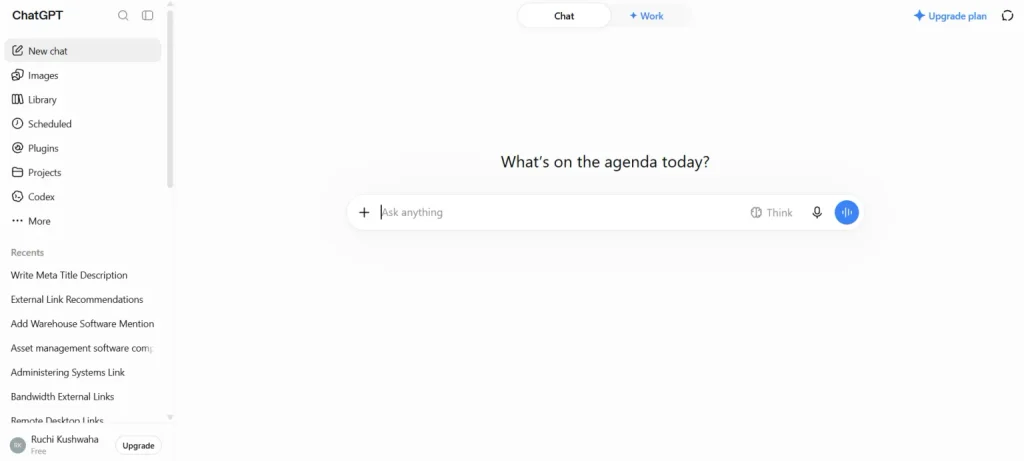
ChatGPT helps businesses handle everyday tasks such as writing emails, preparing reports, researching topics and analysing data. Employees can upload documents or spreadsheets to get summaries, insights and structured information. Marketing teams can also use it to develop blog drafts, social media content and ideas for their content marketing strategy. Its conversational interface makes it useful for handling different types of work without switching between multiple tools.
Key Features:
- Text Generation: Creates emails, reports, business proposals, product descriptions and other written content.
- Data Analysis: Helps analyse uploaded spreadsheets, identify patterns and interpret information.
- File Uploads: Allows users to work with supported documents, presentations and other files.
- Custom GPTs: Lets users create specialised assistants for particular tasks and workflows.
Advantages:
- Supports a wide range of business and productivity tasks.
- Helps prepare written content and document drafts quickly.
- Can analyse data and summarise uploaded files.
- Offers a conversational interface that is easy to use.
Limitations:
- AI-generated information can contain factual errors.
- Important business decisions require independent verification.
- Advanced features and higher usage limits may require a paid plan.
- Results may need editing to match a company’s brand voice.
Pricing:
- Free plan available
- Go plan: ₹399/month (inclusive of GST)
- Pro plan: ₹10,699/month (inclusive of GST)
2. Google Gemini
Official Website: https://gemini.google.com/
Best For: Google Workspace users, research, content creation and productivity.
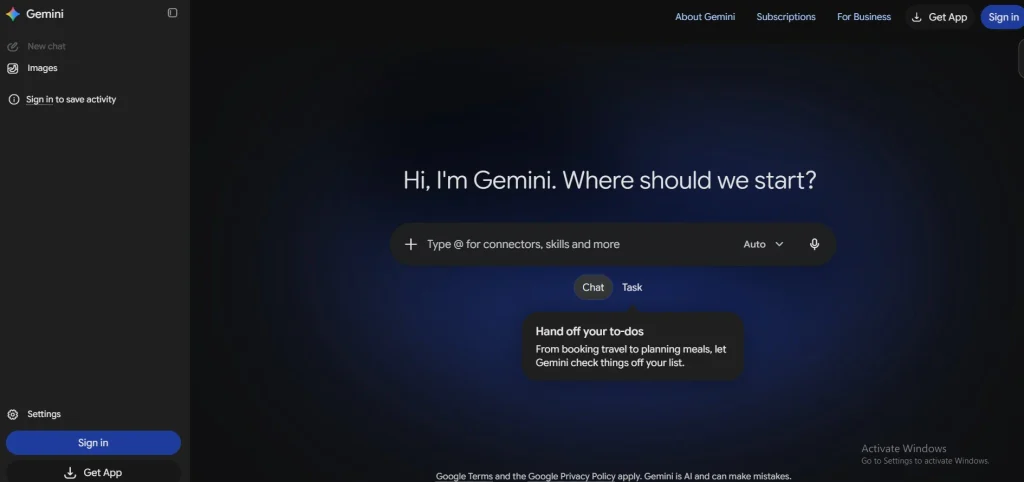
Google Gemini assists businesses with writing, research, information analysis and everyday productivity tasks. It can help draft emails, summarise documents, organise ideas and work with different types of content. Its connection with Google’s ecosystem makes it particularly useful for teams that regularly work with Gmail, Docs, Sheets and Drive. Businesses can use it to manage routine information and reduce the effort involved in document-based tasks.
Key Features:
- Content Generation: Helps create written content, emails, summaries and business drafts.
- Multimodal Capabilities: Supports working with different content types, including text, images and files.
- Google Workspace Integration: Provides AI assistance across supported Google applications and plans.
- Research Assistance: Helps explore topics, understand information and organise findings.
Advantages:
- Useful for businesses already working with Google applications.
- Supports different types of content and information.
- Helps summarise and organise documents.
- Offers a free option for trying its basic capabilities.
Limitations:
- Some advanced capabilities require a paid subscription.
- AI-generated answers may need fact-checking.
- Available features can differ across plans and regions.
- Workspace integration and access depend on the subscription and account setup.
Pricing:
- Free plan available
- Google AI Plus: ₹399/month
- Google AI Pro: ₹489/month for the first 3 months, then ₹1,950/month
- Google AI Ultra: Starting at ₹6,500
3. Microsoft 365 Copilot
Official Website: https://www.microsoft.com/microsoft-365/copilot
Best For: Businesses using Microsoft 365 for documents, spreadsheets, presentations and collaboration.
Microsoft 365 Copilot brings AI assistance into applications that businesses already use for office work. Employees can use it in Word to draft documents, Excel to work with data, and PowerPoint to prepare presentation content. It can also help summarise email conversations and meeting discussions through supported Outlook and Teams features. This makes it useful for organisations that manage reports, communication and collaboration through Microsoft 365.
Key Features:
- Word Assistance: Helps draft, rewrite and summarise business documents.
- Excel Assistance: Supports data analysis, formula-related tasks and spreadsheet insights.
- PowerPoint Creation: Helps prepare presentation content and organise slides.
- Outlook and Teams Support: Assists with email summaries, meeting recaps and communication tasks.
Advantages:
- Works within familiar Microsoft applications.
- Helps reduce the time spent preparing documents and presentations.
- Supports collaboration and everyday office productivity.
- Useful for teams already using Microsoft 365.
Limitations:
- Access to Copilot capabilities depends on the subscription and product configuration.
- Some advanced features may require additional licensing.
- AI-generated content and calculations need review.
- Businesses may need time to understand and configure its features.
Pricing:
- Microsoft 365 Personal: ₹689/month
- Microsoft 365 Family: ₹819/month
- Microsoft 365 Premium: ₹1,999/month
- Microsoft 365 Pro: ₹9,999/month
4. Claude
Official Website: https://claude.ai/
Best For: Long-document analysis, writing, research and coding assistance.
Claude helps professionals work with detailed documents, lengthy reports and complex written information. Users can ask it to summarise files, explain difficult topics, organise research notes and improve business drafts. Its Projects feature allows related conversations and reference material to be grouped for ongoing work. Businesses can also use Claude for coding assistance and technical documentation.
Key Features:
- Document Analysis: Helps review, summarise and extract information from supported files.
- Projects: Organises related conversations and reference materials for ongoing tasks.
- Writing Assistance: Supports drafting, editing and improving business content.
- Coding Support: Helps explain code, identify issues and assist with development tasks.
Advantages:
- Useful for working with lengthy documents and detailed information.
- Produces structured responses for writing and analysis tasks.
- Supports ongoing work through Projects.
- Can assist with both business writing and technical tasks.
Limitations:
- Free usage is subject to limits.
- AI responses can still contain inaccurate information.
- Some advanced capabilities are available only on paid plans.
- It does not replace professional review for important business or technical work.
Pricing:
- Free plan available
- Pro plan: ₹2,399/month
- Max plan: Starting at ₹11,999/month
5. Perplexity

Official Website: https://www.perplexity.ai/
Best For: Online research, industry insights and source-based information gathering.
Perplexity helps businesses research topics by providing AI-generated answers supported by online sources. Users can explore industry developments, investigate competitors and find information relevant to business decisions. Its source citations allow readers to open referenced pages and verify the information behind an answer. Marketing and research teams can use it to collect initial findings and organise information for reports or presentations.
Key Features:
- Source Citations: Provides references that users can open to check supporting information.
- Web Research: Helps find and organise information from online sources.
- Follow-up Questions: Allows users to explore a topic through related questions.
- Research Modes: Offers different ways to investigate questions and gather information, depending on the plan.
Advantages:
- Useful for gathering information from online sources.
- Makes it easier to explore research topics through follow-up questions.
- Provides citations for checking the original sources.
- Can support competitor and industry research.
Limitations:
- Sources should still be checked for accuracy and relevance.
- Search results may not include every useful source.
- Advanced research capabilities may have usage limits.
- It is not a replacement for detailed primary research.
Pricing:
- Free plan available
- Monthly plan: $17/month (annual billing equivalent)
- Higher-tier plan: $167/month (annual billing equivalent)
Explore More:
6. Zapier
Official Website: https://zapier.com/
Best For: Workflow automation and connecting business applications.
Zapier connects different business applications to automate tasks that would otherwise require manual work. For example, a new enquiry submitted through a form can automatically be added to a spreadsheet, recorded in a CRM and shared with the sales team. Users can create multi-step workflows called Zaps without building traditional software integrations. Businesses can use these automations to manage routine processes and reduce repeated data entry.
Key Features:
- Zaps: Creates automated workflows between connected applications.
- Multi-Step Automation: Runs several actions from a single trigger.
- AI-Powered Workflows: Supports AI-related steps within selected automation processes.
- App Integrations: Connects with a wide range of business and productivity applications.
Advantages:
- Reduces repetitive manual work.
- Connects applications without requiring traditional coding.
- Helps automate lead management and routine notifications.
- Supports multi-step business workflows.
Limitations:
- Advanced automation may require a paid subscription.
- Task limits can affect usage.
- Complex workflows may take time to set up and troubleshoot.
- Businesses depend on supported integrations and third-party application availability.
Pricing:
- Free plan available
- Professional plan: Starting at $19.99/month
- Team plan: Starting at $69/month
7. Canva Magic Studio
Official Website: https://www.canva.com/magic/
Best For: Graphic design, marketing visuals and branded content creation.
Canva Magic Studio brings AI-powered design and content creation features into Canva’s existing design platform. Businesses can use it to create social media graphics, promotional materials, presentations and other marketing visuals. Its AI tools support tasks such as generating images, editing selected design elements and preparing written content. This helps marketing teams produce visual materials while working with Canva’s templates and editing tools.
Key Features:
- Magic Design: Generates design suggestions from prompts and uploaded content.
- Magic Write: Helps draft text for presentations, social media and marketing materials.
- Magic Media: Creates images and other supported media from text prompts.
- Magic Edit: Helps modify selected parts of an image using AI-powered editing.
Advantages:
- Makes graphic design more accessible to non-designers.
- Offers templates for different business and marketing requirements.
- Combines design and AI content features in one platform.
- Helps create promotional materials without starting from scratch.
Limitations:
- Some Magic Studio features have usage limits.
- AI-generated visuals may require manual corrections.
- Advanced design features may require a paid plan.
- Highly customised designs may still need professional design work.
Pricing:
- Free plan available
- Pro Lite plan: ₹1,590/year
- Pro plan: ₹4,000/year
8. Gamma
Official Website: https://gamma.app/
Best For: Business presentations, pitch decks, proposals and visual documents.
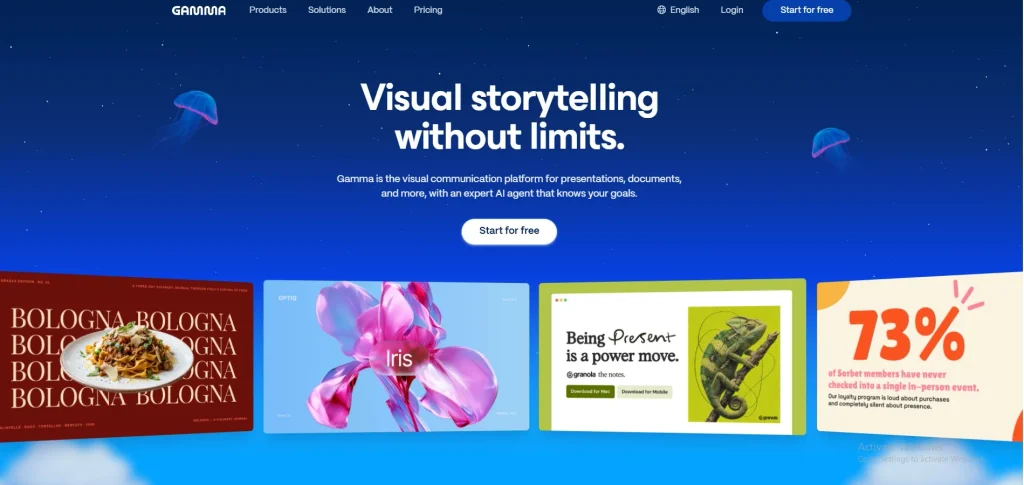
Gamma helps users turn written ideas, prompts and existing content into presentations and visual documents. Businesses can use it to prepare pitch decks, project proposals, company profiles and internal presentations. Its AI features organise information into sections and suggest layouts that users can edit according to their requirements. This reduces the initial effort involved in structuring and designing business presentations.
Key Features:
- AI Presentation Generation: Creates presentation drafts from prompts or written content.
- Document Creation: Helps prepare structured visual documents and web-style pages.
- Design Suggestions: Provides layouts and formatting options for presenting information.
- Content Editing: Allows users to revise text, images and presentation structure.
Advantages:
- Speeds up the initial presentation creation process.
- Helps organise information into structured slides.
- Useful for proposals, pitch decks and internal reports.
- Offers editable designs rather than only static output.
Limitations:
- AI-generated presentations may need content and design adjustments.
- Free usage comes with limits.
- Highly customised branding may require manual editing.
- Users should review information and formatting before sharing presentations.
Pricing:
- Free plan available
- Plus plan: ₹400/month
- Pro plan: ₹950/month
- Ultra plan: ₹7,833.25/month
9. Zendesk AI
Official Website: https://www.zendesk.com/service/ai/
Best For: Customer support automation and managing customer enquiries.
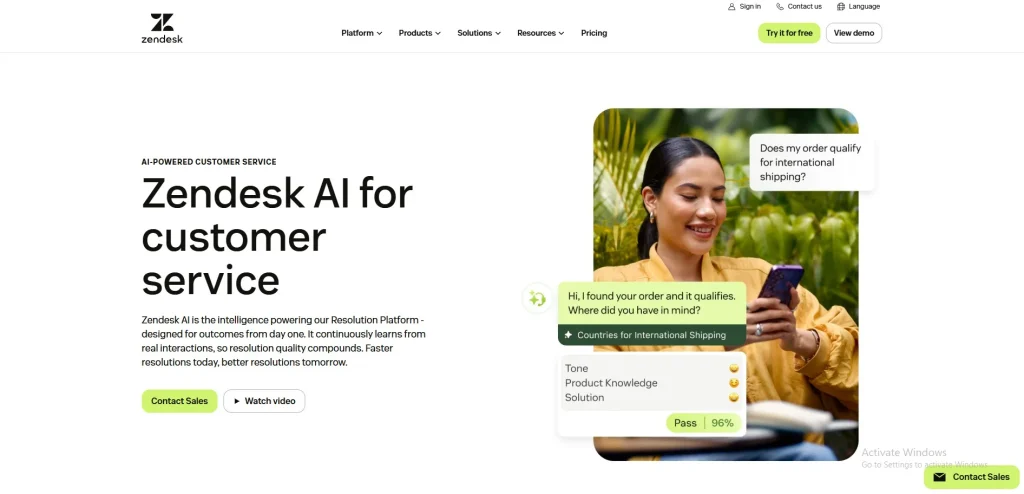
Zendesk AI supports customer service teams by helping them manage incoming enquiries and support requests. Its AI agents can handle supported customer questions, while other AI features assist with ticket management and agent responses. Businesses can use the platform to organise customer conversations and automate selected support activities. Human agents can then focus on requests that require detailed attention or personal assistance.
Key Features:
- AI Agents: Handles selected customer enquiries through automated conversations.
- Ticket Management: Helps organise and manage customer support requests.
- Agent Assistance: Supports customer service agents with suggested responses and relevant information.
- Customer Service Analytics: Helps teams review support activity and service performance.
Advantages:
- Helps manage customer enquiries across support channels.
- Can automate selected customer service interactions.
- Supports agents in handling support requests.
- Provides tools for organising customer conversations and tickets.
Limitations:
- Pricing can become expensive as the number of agents increases.
- Setup and configuration may require time.
- Complex customer issues still need human support.
- Available AI capabilities depend on the selected plan and configuration.
Pricing:
- Support Team: $19/agent/month, paid yearly
- Suite Team: $55/agent/month, paid yearly
- Suite Professional: $115/agent/month, paid yearly
10. HubSpot AI
Official Website: https://www.hubspot.com/
Best For: CRM, sales activities, marketing content and customer relationship management.
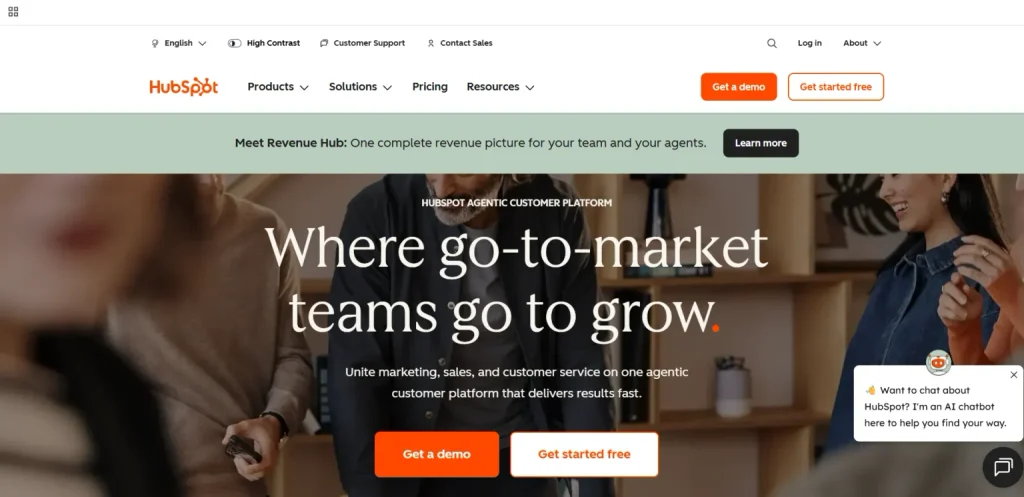
HubSpot AI supports business activities related to customer relationship management, sales and marketing. Teams can use its AI capabilities to create marketing content, organise customer information and assist with sales-related tasks. Its CRM platform keeps contact details, leads and deal information organised in one place. Businesses can use these features to coordinate customer interactions and manage different stages of their sales and marketing activities.
Key Features:
- AI Content Assistance: Helps create and improve marketing and business content.
- CRM Management: Organises customer details, contacts, leads and deal information.
- Sales Assistance: Supports selected sales activities and helps teams manage their pipeline.
- Marketing Automation: Helps manage marketing activities and customer communication through supported tools.
Advantages:
- Combines CRM, marketing and sales tools in one platform.
- Helps organise customer and lead information.
- Supports content creation and selected sales activities.
- Useful for businesses managing customer relationships.
Limitations:
- Advanced features may require higher-priced subscriptions.
- Pricing can increase with additional users, contacts and features.
- The platform may take time to configure.
- AI-generated content and recommendations require human review.
Pricing:
- Free plan available
- Starter plan: ₹585/month
- Professional plan: ₹66,697/month
Comparison Of The Best AI Tools For Business
| AI Tool | Primary Business Use | Standout Capabilities | Best For | Starting Price |
| ChatGPT | Productivity and content creation | Data analysis, file uploads and custom GPTs | Everyday business tasks | ₹399/month |
| Google Gemini | Research and productivity | Google ecosystem support and multimodal assistance | Google Workspace users | ₹399/month |
| Microsoft 365 Copilot | Office productivity | Word, Excel, PowerPoint and Teams assistance | Microsoft 365 users | ₹689/month |
| Claude | Writing and document analysis | Projects, long-document work and coding support | Detailed written and technical tasks | ₹2,399/month |
| Perplexity | Online research | Source citations and research capabilities | Research and information gathering | $17/month |
| Zapier | Workflow automation | Zaps and multi-step app integrations | Repetitive business processes | $19.99/month |
| Canva Magic Studio | Graphic design and marketing | Magic Design, Magic Write and Magic Media | Marketing visuals and content | ₹1,590/year |
| Gamma | Presentation creation | AI-generated presentations and visual documents | Pitch decks and proposals | ₹400/month |
| Zendesk AI | Customer support | AI agents and ticket management | Customer service teams | $19/agent/month |
| HubSpot AI | CRM and marketing | Customer management and AI content assistance | Sales and marketing teams | ₹585/month |
How To Choose The Right AI Tools For Your Business
Choosing an AI tool should begin with a clear understanding of the work your business wants to improve. These factors can help you compare options before investing in a subscription.
Identify Your Business Requirements
Start by identifying the tasks that take the most time or create difficulties for your team. For example, a marketing team may need help with content and design, while a customer support team may need ticket automation. A clear requirement makes it easier to shortlist relevant tools.
Check Compatibility with Existing Software
Review whether the AI tool works with the applications your business already uses. If your team relies on Google Workspace or Microsoft 365, integration can make everyday work easier. Check supported connections and available features before choosing a subscription.
Compare Pricing and Usage Limits
Do not compare tools only by their monthly subscription prices. Check usage limits, available features, user allowances and additional charges. A lower-priced plan may not be suitable if your team needs features that are available only in a higher tier.
Test the Tool with Real Business Tasks
Try the tool using tasks your employees regularly perform. For example, ask it to prepare a report, organise customer enquiries or create a marketing draft. This gives you a better idea of its output quality, ease of use and practical value.
Review Privacy and Data Security
Check how the platform handles uploaded files, customer information and business documents. Review its data policies and available security settings before using it for sensitive work. Your organisation should also establish clear guidelines about what employees can share with AI tools.
Measure Its Impact on Daily Work
After introducing a tool, evaluate whether it actually improves the process. Compare the time required to complete tasks, the quality of the output and the overall subscription cost. Continue using it when the results provide measurable value to the business.
Conclusion
AI tools can make business activities easier to manage, but adding more software does not automatically improve productivity. The better approach is to identify a task that takes unnecessary time, select a tool designed for that task and test it with actual business work.
For everyday assistance, ChatGPT and Gemini are useful starting points. Businesses focused on automation can explore Zapier, while Canva Magic Studio and Gamma support marketing design and presentations. Zendesk AI and HubSpot AI are more relevant for customer support, sales and CRM activities.
Start with one tool, measure the time saved and review the quality of its output before expanding its use across your business. This helps ensure that AI becomes a practical part of your workflow rather than another expense.
Frequently Asked Questions
1. What are the best AI tools for business in 2026?
ChatGPT, Google Gemini, Microsoft 365 Copilot, Claude, Perplexity, Zapier, Canva Magic Studio, Gamma, Zendesk AI and HubSpot AI are useful options for different business activities.
2. Which AI tool is best for small businesses?
ChatGPT, Canva and Zapier can help small businesses with everyday content, marketing design and workflow automation.
3. Are there free AI tools for business?
Yes. ChatGPT, Gemini, Claude, Perplexity, Canva, Gamma, Zapier and HubSpot offer free plans or free access with certain limitations.
4. Can AI tools automate business tasks?
Yes. Tools such as Zapier can connect applications and automate actions like transferring information, sending notifications and creating records.
5. Are AI tools safe for business use?
They can be used responsibly, but businesses should review privacy policies, data controls, access permissions and subscription terms before sharing confidential information.